Summary
I recently installed Jellyfin on my ancient MacBook Pro (2015) to resurrect the old machine, and I’m loving my first home media server experience. However, the only problem I had with Jellyfin was that I couldn’t share my library with good friends who live all over the world. Tailscale fixed that by making my server remotely accessible, but the watch-party experience still fell short. It felt like watching separate streams synced up, and with no built-in communication, everyone had to switch to separate windows or their phones to chat, which broke the immersion. The missing piece here was a chatroom. To solve this, I found a Jellyfin plugin called JellyChat that adds a chatroom to the existing playback for better communication, and I didn’t have to deal with the hassle of adding a separate server or port to manage. SyncPlay already keeps everyone in the same frame Jellyfin’s built-in sync handles play, pause, seek, and buffering for the whole group For watch parties, Jellyfin has a built-in feature to synchronize playbacks across all users called SyncPlay. With SyncPlay, you can either pause, play, or skip forward, and the playback will be synchronized across all users. Then, if someone’s playback is buffering due to a weak connection, SyncPlay automatically pauses the content so that nobody is left behind. To enable SyncPlay and create a watch party, there’s an option in the interface menu in the top right corner. Expand it to create a new group, or join the existing one. Have your friends join the group, and you’ll all be watching the same exact stream. Depending on your Jellyfin version, some users may need to enable SyncPlay in the user settings. JellyChat setup takes one folder and a restart The plugin reuses your SyncPlay room, so there’s no extra server or port JellyChat is a Jellyfin plugin that adds a chatroom. Usually, the main problem with Jellyfin plugins is that they require setting up a separate server and an extra network port. However, JellyChat extends the SyncPlay room as a chat room, so you don’t need extra work, like setting up a container or a separate server, to install it. To set up a chat room for your Jellyfin watch parties, the easiest way to install JellyChat is by pasting the GitHub repository URL into Jellyfin, under Dashboard → Plugins → Repository. For a manual installation, follow these steps:
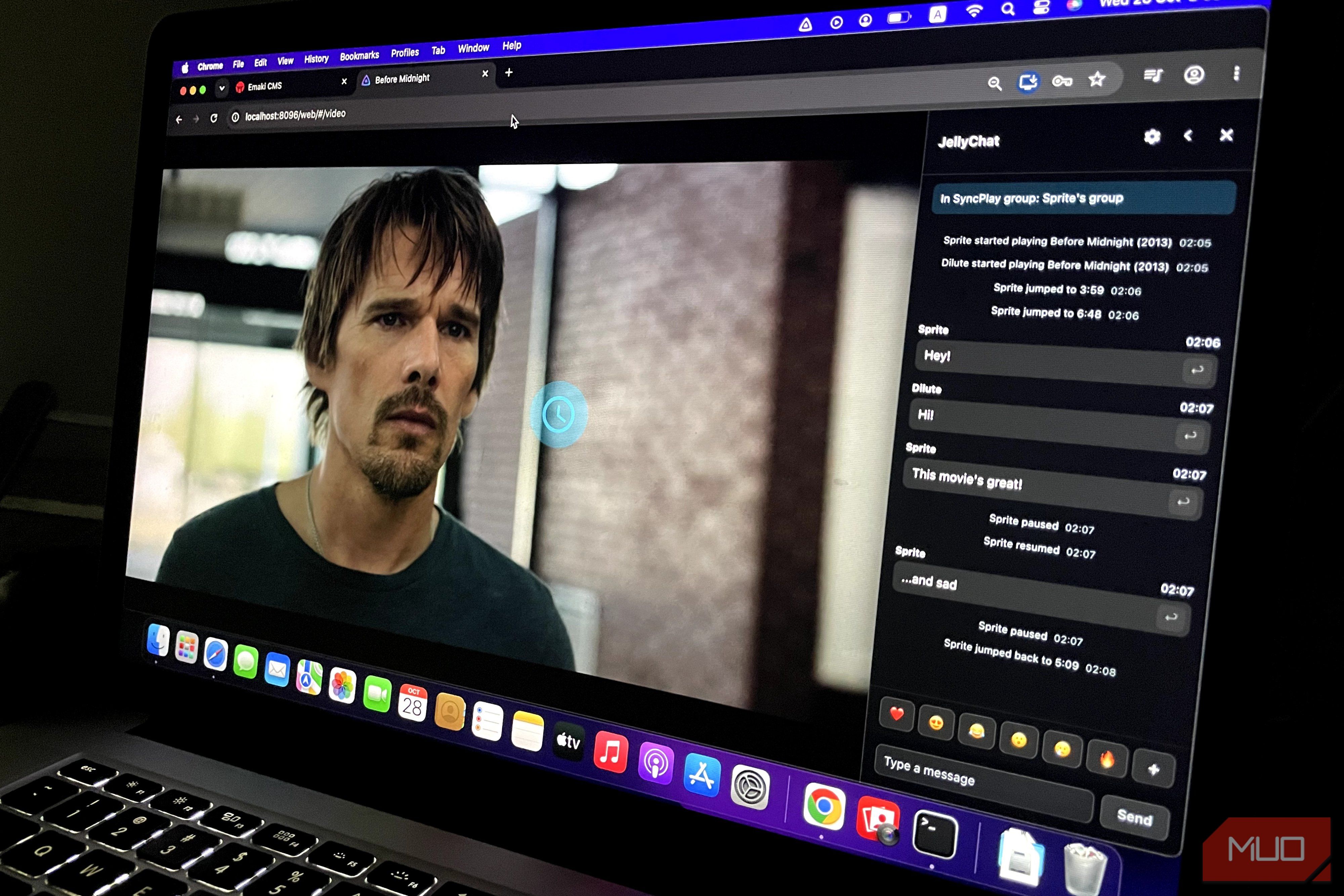
Download the JellyChat plugin from the GitHub repository, and match it to your Jellyfin version. - Extract the .zip file and paste the JellyChat folder into the plugin folder where Jellyfin is installed: /Users/“username”/Library/Application Support/jellyfin on a MacBook, orC:\ProgramData\Jellyfin\Server\plugins, Linux /var/lib/jellyfin/plugin on Windows. - Quit Jellyfin and reopen the app. JellyChat requires a compatible Jellyfin version and won’t work with anything older than 10.11.X. Otherwise, you’ll still need to make your Jellyfin accessible outside your network, and Tailscale is the best way to do that, avoiding hassles like keeping a router port open or paying for a domain. Chatting mid-movie without leaving the player A compact drawer sits beside the video and logs joins, pauses, and skips You don’t need any extra steps to start using JellyChat in a watch party; it works the same way as SyncPlay. Join an ongoing group with your relevant user, or create a new one if you’re hosting the watch party. Then, you’ll see a small chat icon in the upper-right corner of your screen. Click it to open chat. With JellyChat, you can reply, copy actions, jump-to-original highlighting, and do much more. In portrait, the chat sits at the bottom, but in landscape it moves to the right side and takes up very little screen space, so I didn’t find it interfering with playback at all. Aside from messages, JellyChat also shows when someone joins or leaves the watch party. It also shows when playback is skipped or paused, plus other details you’d need to track. Occasionally, when connection speeds drop, playback also pauses until the other user reconnects, before resuming again. A chatroom was all my Jellyfin watch parties needed On its own, SyncPlay is a great feature. Still, it feels incomplete because it was missing the chat feature, which pushed my friends and me to another tab or window. Often, we missed important scenes because our eyes were fixated on our phone screen instead of the stream. Unfortunately, JellyChat works only in the web client and won’t work on clients that don’t use Jellyfin web, like Infuse. Moreover, Jellyfin’s default sync system isn’t great because of uneven client support, transcoding often breaking, and regressions between versions, but it works fine for the most part in other situations. If you want to replace SyncPlay, OpenWatchParty is the next best thing, but the catch is that the plugin requires an additional Docker session server, and the setup process is longer.