Summary
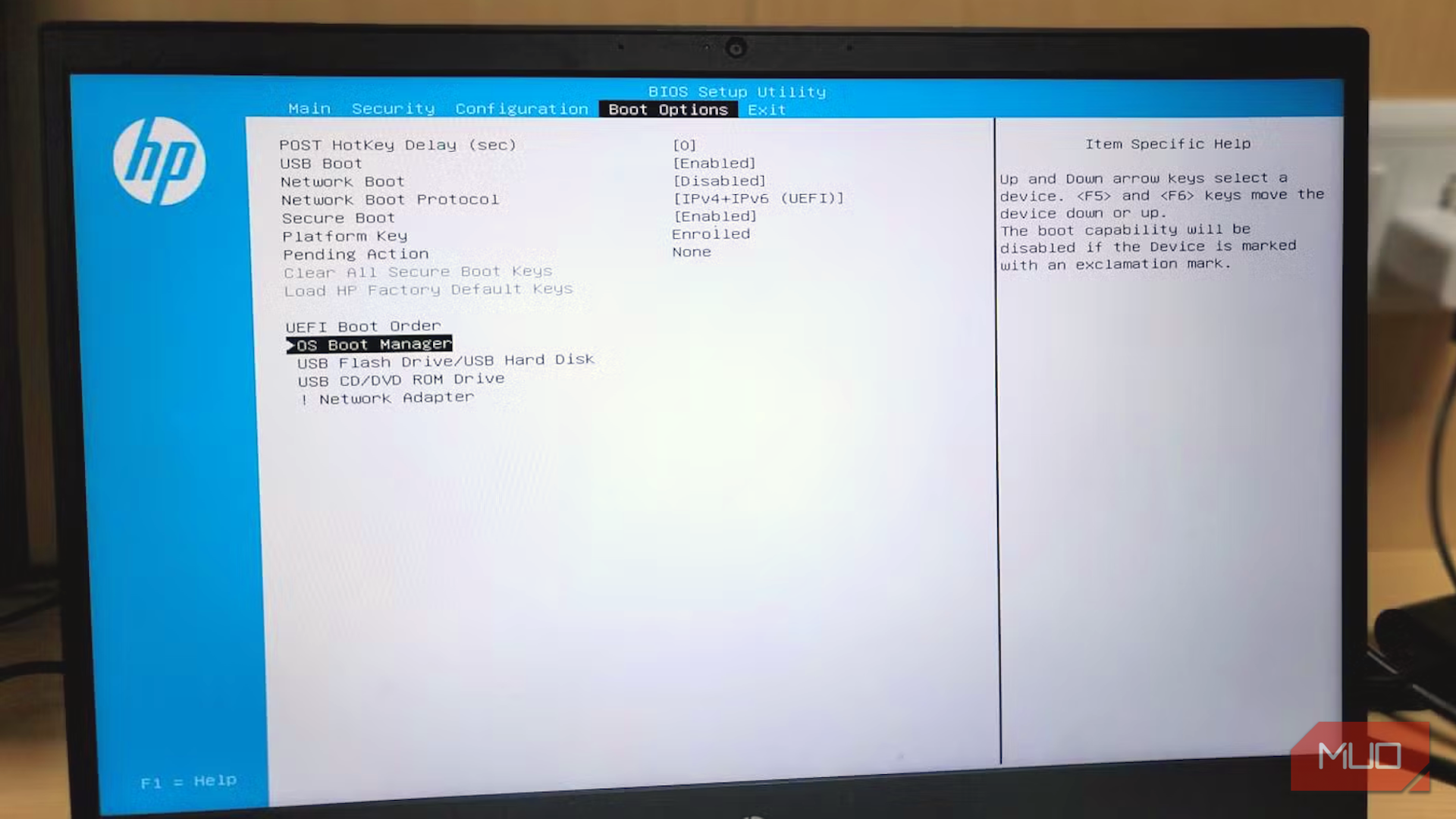
O October 19, 2026, the last of Microsoft’s 2011 Secure Boot certificates expired. Since your PC still boots, you probably don’t know if it ever got the 2023 replacements. Without these replacements, the PC wouldn’t receive boot-level security fixes. On four computers, I got different answers. It takes only a few seconds to check; a green check in Windows Security isn’t sufficient proof. Read the sentence, not the color Windows Security now reports certificate status, but the badge alone proves nothing From April 2026, if you open Windows Security, navigate to Device security, and look for the Secure Boot card, you should get a report on your certificates. It should include a sentence beneath the badge. A green badge usually carries a sentence saying Secure Boot is on with all required certificate updates applied. You may also get a yellow badge and a sentence about an older boot trust configuration, showing the OS hasn’t completed the certificate update. You’d then need to install updates and restart the computer. However, the post-expiry warning is a red message about no longer receiving required updates. Judging by the color alone can be misleading because the badge is reset when the warning is dismissed, and the badge changes are hidden by default on PCs that are managed by an employer. On my main PC, there was no Secure Boot card at all. On Device security, there was core isolation, the TPM and BitLocker, then it ended with “Standard hardware security not supported.” When I checked the Secure Boot State on the System Information app, it was Off. According to Microsoft, systems with this configuration don’t receive the new certificates. A missing card doesn’t imply a clean bill of health. Proof beats a badge Use one PowerShell line and one event log entry to confirm The badge displayed on Windows Security is a summary, and you get the real answer from the firmware. Launch PowerShell as an administrator and run the command below: [System.Text.Encoding]::ASCII.GetString((Get-SecureBootUEFI db).bytes) -match ‘Windows UEFI CA 2023’ If the output is “True,” the 2023 Windows certificate is in your firmware, but “False” means it isn’t there yet. Now open Event Viewer, expand the Windows Logs section, select System, and filter for event ID 1808. That event is your receipt. This event is only recorded after the required certificates have been applied, and the new boot manager is in place. It’s possible to get a “True” result from running the PowerShell command and still record no 1808 event. This means that the computer is only halfway there. You may also uncover other errors, like 1795 or 1802, which point to the update being stuck or blocked, usually by firmware. Here’s what I observed on four devices: | PC | Windows Security status | PowerShell check | Event 1808 recorded? | |---|---|---|---| | Laptop (2023, Windows 11) | Fully updated | True | Yes | | Desktop (2018, Windows 11) | Yellow, older boot trust | True | No | | Spare (2016, Windows 10) | Secure Boot on, no certificate text | False | No | | Main PC (Windows 11 Pro Insider Preview) | No Secure Boot card; standard hardware security not supported | False | No | The desktop row was the most interesting. PowerShell said “True,” yet there was no event 1808. The certificate was in the firmware, but Windows hadn’t switched to the new boot manager yet. The computer still boots fine and looks healthy. This isn’t something you catch just by how your computer feels. Nothing breaks, nothing improves A frozen startup chain looks fine until the day it matters, or until you reset the BIOS Nothing gets revoked when the certificate expires. Blocking known-bad boot software is a separate step, which Windows doesn’t do until the 2023 certificate is installed. When the certificate expires, the old Windows boot manager is frozen in place. Future fixes get shipped signed only with the 2023 certificate. Also, updated install media will boot with the 2023-signed manager by default. On firmware that lacks the certificate, it will fail with a Secure Boot violation, and a script can revert the installation media to use the older-signed boot manager so it will boot on firmware lacking the 2023 certificate. On all my PCs, my old Windows 11 USB booted fine, but Microsoft says future major Windows releases will require the certificate to install. Your BIOS houses the real way to break your computer. There are two lists on your computer: one is active and edited by Windows, and the other holds the factory defaults stored in the firmware. Resetting the BIOS to defaults that lack the 2023 certificate can cause Secure Boot to prevent the system from booting if Windows has already moved to the 2023 boot manager. The fix requires a recovery USB that writes the certificate back. So if your PC maker hasn’t updated the defaults, it’s wiser to skip the reset. The PCs that get skipped The door isn’t closed just because the deadline passed. As long as the PC boots and installs updates, certificate updates can still be applied. | Your PC | Fixes itself? | What to do | |---|---|---| | Windows 11, recent hardware | Usually | Install updates and restart | | Windows 10 with extended updates | If the BIOS allows | Install updates, check for a BIOS update | | Windows 10 without extended updates | No | Enroll (updates run until October 2027) | | Older PC with no BIOS updates | Probably not | Keep using it, treat it as lower-trust | | Secure Boot switched off | No | Find out why it’s off before turning it on | If the terminal command returns “False” or you don’t see the 1808 event, do the following:
- Confirm that your BitLocker recovery key is saved in your Microsoft account.
- Install pending updates and restart your computer, maybe twice.
Check for available BIOS updates from the PC maker and install them. - Rerun the PowerShell command. For my desktop, all I needed was to apply the pending updates and reboot twice. On my Windows 10 PC, which is enrolled in extended updates, I’m still waiting for the certificate to arrive. I’ll keep that computer for low-stakes jobs if the update never comes.